
GAMING
Loading





Buy the Logitech G305 Lightspeed. It is wireless, it runs for months on one AA, and it fits a wider range of hands than anything else here. For most people spending under $50, that is the whole article.
The reasoning behind that recommendation has completely changed, though, and it is worth two minutes of your time. The G305 used to win on the sensor. It does not anymore. Around $40 now buys a PixArt PAW3395 - the same sensor inside mice costing four times as much - from brands you have never heard of. Tracking stopped being what separates a good cheap mouse from a bad one.
So this guide is built around the three things that still separate them: whether it fits your hand, what breaks, and what happens when it does.

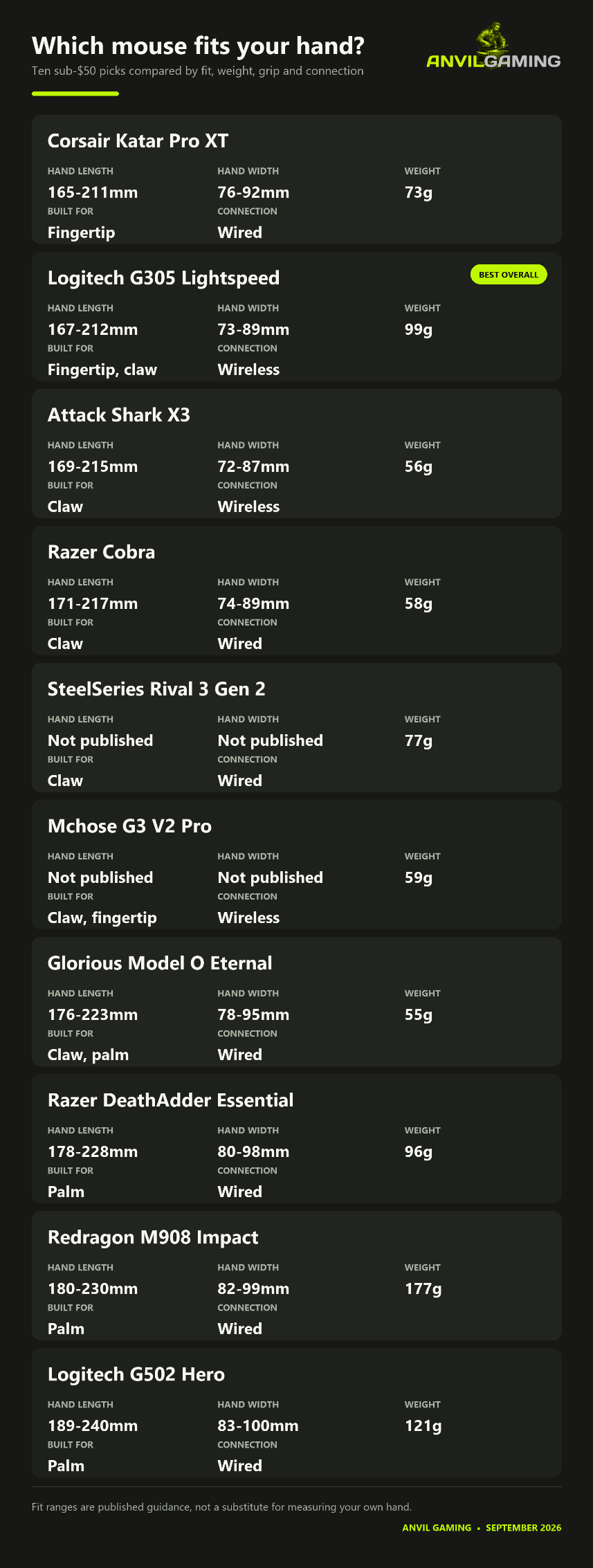
This is the part every other guide leaves out, and it is the part that saves you a return.
Measure from the base of your palm to the tip of your middle finger, then across your palm at the widest point. Find your number in the table. A mouse outside your range is not one you learn to love; it is one you quietly stop using. Every figure is MouseShape's published fit range for that model.MouseShape has not published separate fit figures for the Rival 3 Gen 2 or the Mchose G3 V2 Pro, so those rows are blank rather than estimated. The Gen 2 keeps the original Rival 3's 77g and its general shape, and the original measured 172-219mm - treat that as a guide, not a figure. The Mchose is 116.5 x 62.9 x 38.2mm, which is effectively the G305's footprint with 40g removed.
Two things fall out of that table immediately. If your hand is over about 220mm, most of this bracket is not built for you and you should be looking at the G502 Hero, the Model O Eternal or the DeathAdder. If it is under about 170mm, the Katar Pro XT and the G305 are the only ones that reach down to you comfortably.
Here is where a buying guide earns its keep, because the received wisdom is wrong in three specific places.
"All Logitech mice double-click." Half true, and the half matters. The G502 Hero genuinely has this problem: owner reports cluster consistently at three to twelve months, in three separate owner communities that do not talk to each other, and the mechanism is well understood - Omron switches driven below their rated load, degrading early. But it is a tail risk inside a very satisfied population, not a coin toss, and most of those reports are five or six years old.
The G305 is a different mouse with a different weakness, and almost nobody tells you what it is. Its owners barely mention double-clicking. What they mention is the receiver snapping in half. The nano dongle stows in a slot under the battery cover, it is genuinely hard to extract, and owners keep breaking it getting it out - one reported going through four mice in two years for exactly this reason. Logitech does not sell replacement Lightspeed receivers at retail, so a broken dongle is a dead mouse. Get it out once, carefully, with a tool, and then leave it in the PC.
The G305's other quiet problem is ergonomic rather than mechanical, and it is the single most consistent complaint across six years of reviews: palm-grip users press the side buttons by accident, constantly. It is fixable - you disable them in software - but nobody tells you before you buy.

"Razer mice die." That reputation is now dated for most of the range and completely live for one model in this guide. The Cobra runs Gen-3 optical switches rated at 90 million clicks, and across Razer's own owner forum and 150 owner reviews there are no double-click reports at all. The DeathAdder Essential runs mechanical switches rated at 10 million - one ninth of the Cobra's - and carries a scroll-wheel fault that owners on Razer's own forum describe as still current, with no fix beyond blowing air into the wheel. Same brand, same year, entirely different proposition.
"Cheap wireless mice have bad sensors." They do not. The problem is elsewhere. Early Attack Shark X3 units - anything built before September 2023 - shipped with genuine sensor jitter and a bug that froze the cursor while Caps Lock was held, both fixable only by flashing firmware the community mirrors because the official download sources go down. Flash the wrong revision and you brick the mouse. That is not a sensor problem. That is a support problem wearing a sensor costume.
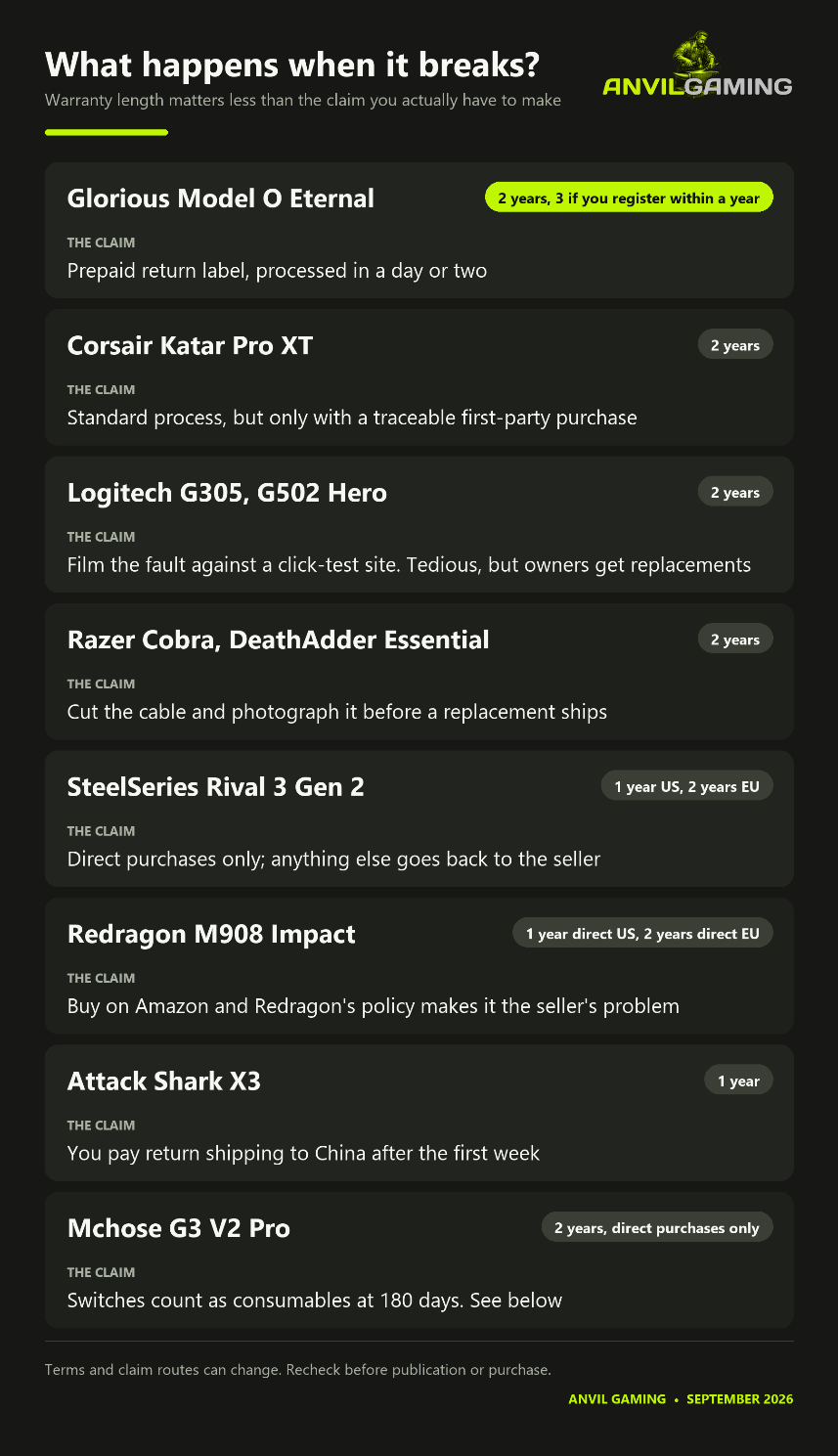
Every guide tells you the warranty length. Almost none tell you what claiming it involves, which is the part that decides whether the warranty is worth anything.
Four things in that table should change what you buy.
The Mchose warranty probably is not yours. Two years sounds excellent until you read the policy: it applies only to units bought directly from Mchose. store. Buy it anywhere else - which is how essentially everyone buys it - and you get that seller's returns window and then nothing. Worse, switches are classed as consumable parts covered for 180 days, and switches are what fail on cheap mice. Past 90 days, you pay shipping to China both ways, on a $34 mouse.
Razer asks you to destroy the mouse first. Documented owner accounts from 2023 and 2025 both describe being asked to cut the cable and photograph it as proof before a replacement ships. You are without a working mouse from that moment, for however long it takes, and at least one owner was sent a different model because theirs was out of stock.
Logitech will replace a double-clicking G502, and the failure window sits inside the warranty. The claim process asks you to film the fault against a click-test website, which owners find tedious but which works - one reported three sequential replacements. If your G502 starts double-clicking at eight months, do not tolerate it and do not buy a new mouse. Claim.
Glorious quietly has the best deal here. Two years, extended to three if you register within a year, with prepaid return labels and processing in a day or two. On a $40 mouse, prepaid return shipping is not a detail - it is the difference between a warranty and a theoretical warranty.
And one that is not in the table: buy from Amazon rather than from the small brands' own sites. That advice comes from an Attack Shark owner in August 2026 who ordered direct, waited a week for a shipment that never moved, and was refused a refund on the grounds that he had not received it. With Mchose and Attack Shark, you are trading the manufacturer warranty you were probably never going to be able to use for a retailer returns process you actually can.
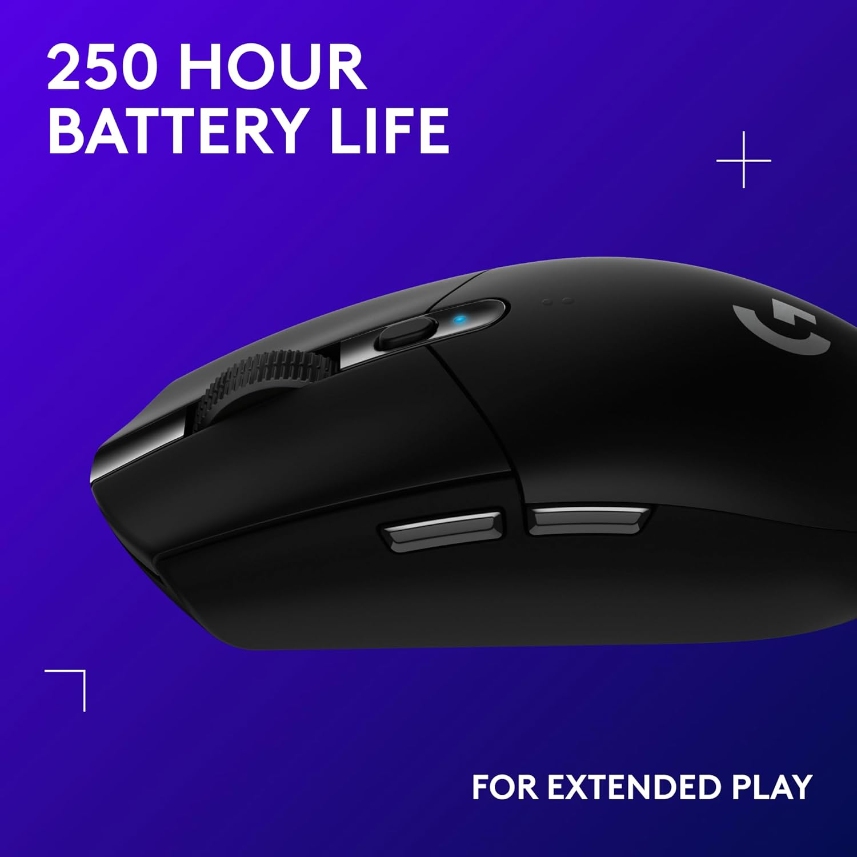
The G305 Lightspeed is the recommendation, and the least exciting mouse here. 99g including the AA, a 12,000 DPI HERO sensor that is two generations behind what $35 now buys, and a 167-212mm fit range that is the most accommodating in the guide.
What you are paying for is everything around the mouse. Two-year warranty with a company that will still exist. Battery life that holds up to the claim - owners report three to four months of daily use in Performance mode, and one got eight months. A shape that suits fingertip and claw grip across a wide range of hands.
Buy it if: you want one decision, made once, that will not annoy you.
Skip it if: you have large hands or a palm grip- it is small, and you will hit the side buttons.
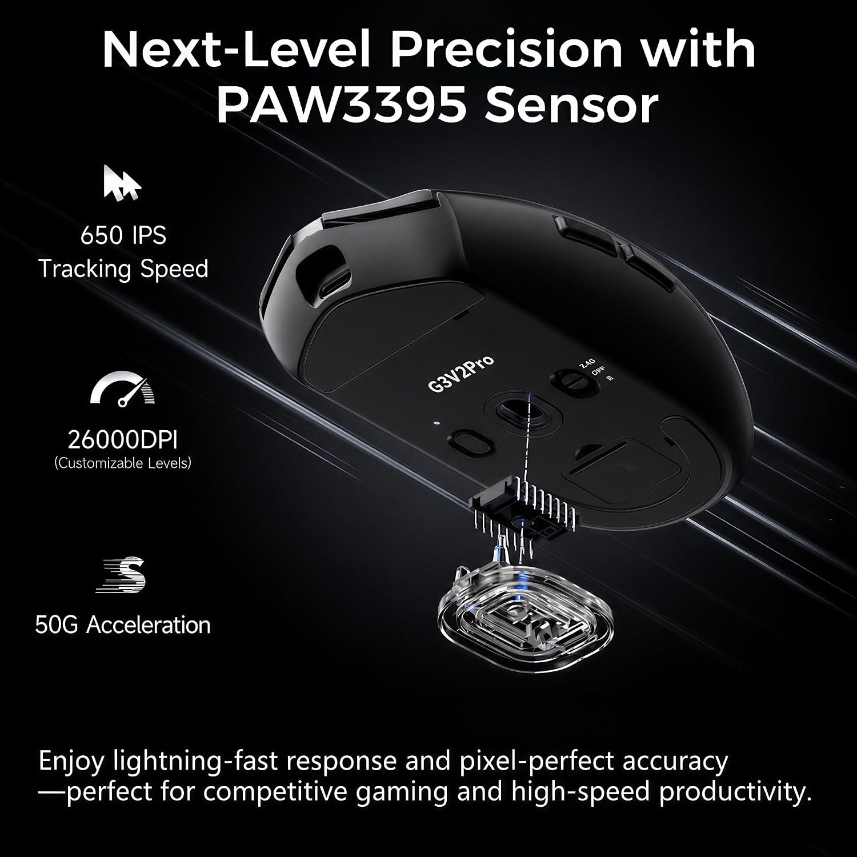
The G3 V2 Pro is the best hardware-per-dollar in the guide and the one that needs the most caveats. 59g, PAW3395, 800mAh battery, Omron switches, and a shell that the one professional review of the platform found essentially flex-free.
Two problems. The first is the warranty above. The second is that it is thirteen months old and almost nobody has written about owning one - there is no durability record here in either direction, and the absence of complaints is not the same as evidence of reliability.
Watch the name. The "G3 V2" and the "G3 V2 Pro" cost nearly the same and are different mice; only the Pro has the PAW3395. It is also 1,000Hz only, wired and wireless, where several rivals at this price now do more.
Buy it if: you want the most mouse for the money and you accept that support means the Amazon returns window.
Skip it if: you would be annoyed to lose $34.

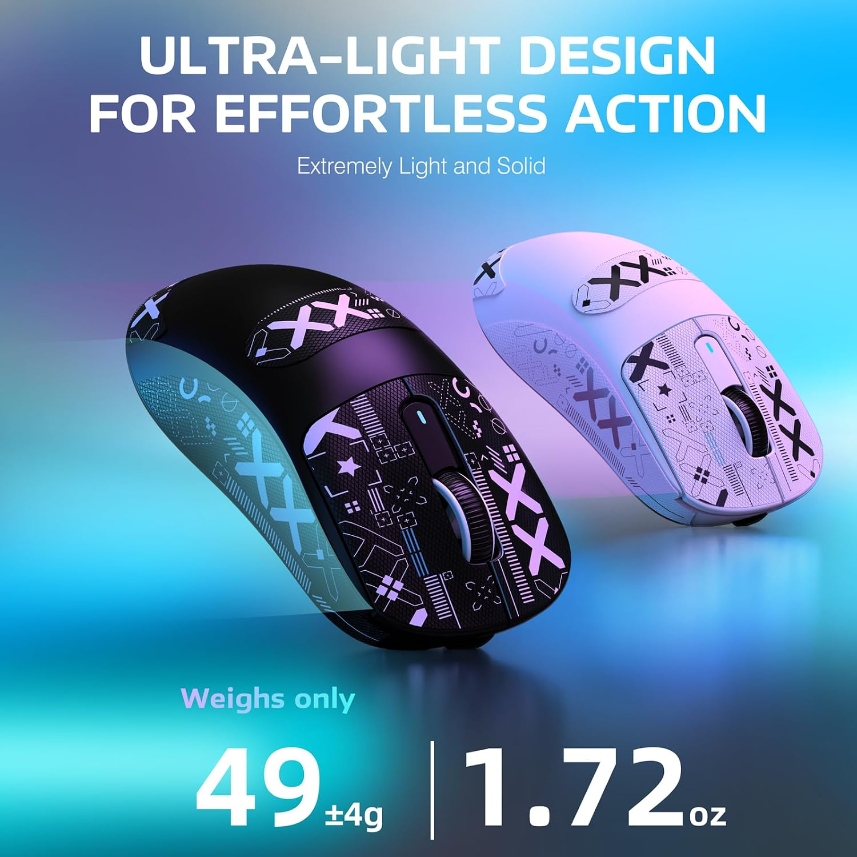
The Attack Shark X3 is marketed at 49g. Independently measured at 55.8g, which is still very light and is not what the box says.
The interesting thing about this mouse is that it is not really one product. It is the same hardware as the Kysona M600, sold under at least three brand names by the same manufacturer - aftermarket parts makers list one skate SKU covering both, which is the giveaway. That cuts both ways. Brand loyalty is meaningless, but aftermarket skates and grip tape genuinely exist for it, which is rare down here.
Owner reports split on build quality in a way that suggests real unit variance: some report creaking under a firm claw grip, others report none at all. The coating is slippery enough that Attack Shark sells grip tape separately, so treat the real price as mouse plus tape. And check the firmware revision situation before you buy, not after.
Buy it if: you want sub-56g for the price of a takeaway and you will accept a lottery ticket.
Skip it if: you need it to work reliably on day one for something that matters.
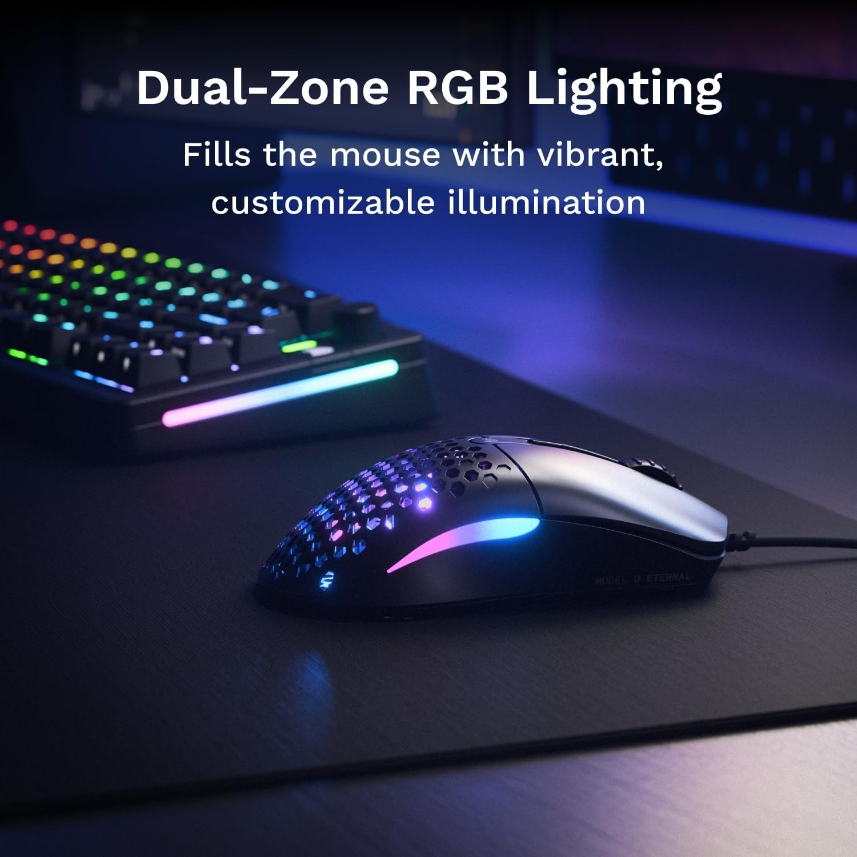
The Model O Eternal is 55g, honeycomb shell, 12,000 DPI PixArt 3311, switches rated at 80 million, and three onboard profiles so you never have to run the software. Glorious says outright that CORE is not required, and after what its own forum has said about CORE, that is the feature.
Every reviewer converges on the same flaw: the cable. It is fixed, rubberised rather than braided, stiff, and prone to snagging. On a 55g mouse sold on low drag, that partly defeats the point. Budget for a bungee.
Do not carry the original Model O's reputation onto this. Different year, different switches, different sensor. But equally, do not assume it is proven - it is fifteen months old, and there is no long-term owner record yet.
Buy it if: you want light, you have a bungee, and the three-year registered warranty appeals.
Skip it if: you eat at your desk. Honeycomb shells collect crumbs and do not give them back.
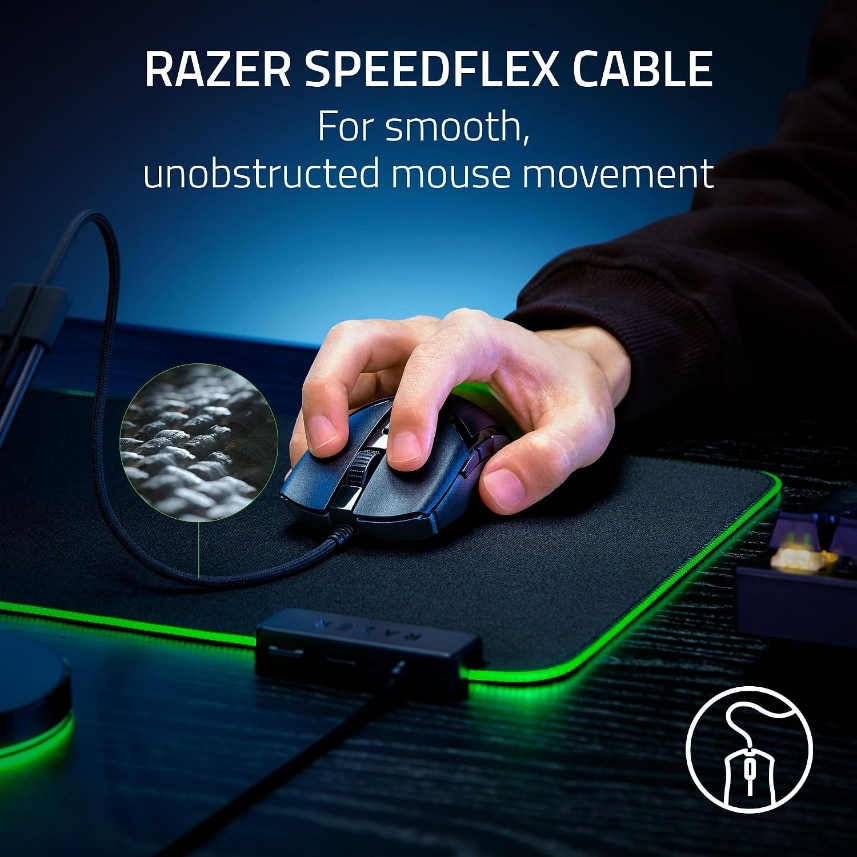
The Cobra is the quiet winner on reliability. 58g, Gen-3 optical switches rated at 90 million clicks, and after searching Razer's own owner forum and 150 owner reviews, no double-click reports at all. For a brand with Razer's reputation, that is genuinely notable.
Its real problems are software-shaped. Owners report intermittent disconnects that appear to be Synapse-related rather than hardware. And the Cobra stores one onboard profile, so if you want macros or complex binds you are running Synapse - which Razer's own forum has spent the last year complaining about, in threads with dozens of replies.
Buy it if: your hand is 171-217mm, you want light and wired, and you can live with Synapse.
Skip it if: you refuse to run peripheral software. One onboard profile is not enough to escape with.
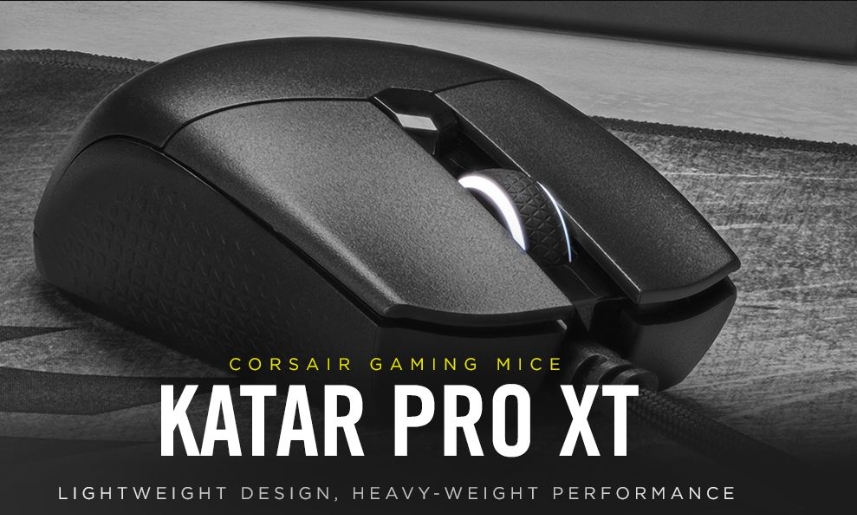
The Katar Pro XT is 73g, 18,000 DPI, Omron switches rated at 50 million, and a two-year warranty, which is remarkable at this price and better than most of the mice above it here.
The catch is buying one. Corsair lists it in stock at $34.99, but it has quietly drifted out of general availability, and most of what is left is third-party sellers - some of them asking above list price for a five-year-old mouse. Buy it from Corsair, or you lose the two-year warranty that is the reason to buy it.
Reviewers consistently call the scroll wheel stiff, and one long-term owner reported it going scratchy inside a year on two separate units. iCUE is heavy - Corsair's own published figure is around 393MB - but the mouse holds one onboard profile, so configure it once and close the software.
Buy it if: you have small hands and want a warranty.
Skip it if: you cannot buy it directly.

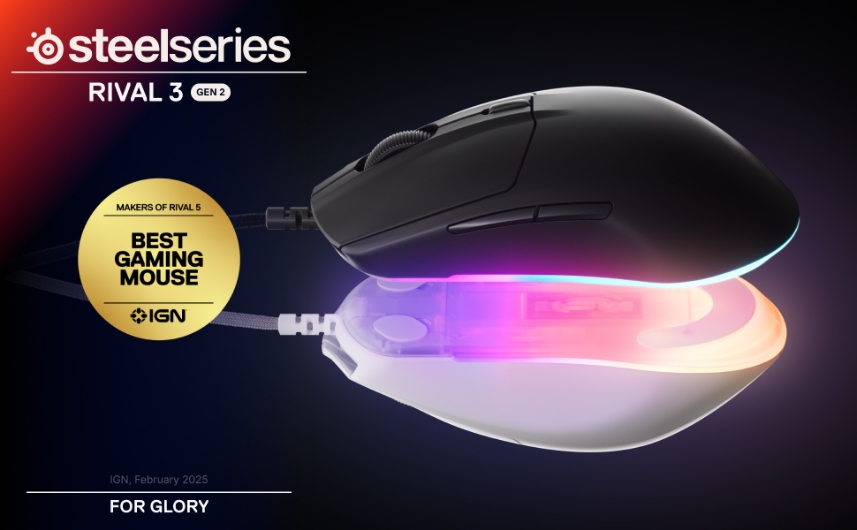
The Rival 3 Gen 2 replaces the original, and you should not buy the original. It has vanished from SteelSeries' own mouse listing, and what is still on shelves is old stock.
The original's one real weakness was well documented and confirmed by teardown: the side buttons used very small, thin switches that were awkward to actuate, and it was by far the most common complaint against it. The Gen 2 arrived in May 2025 with a braided paracord cable, 60-million-click switches, and a TrueMove Core sensor - and across 144 reviews, the side-button complaint does not appear at all. Small sample, but it is the right kind of quiet.
Buy it if: it is someone's first gaming mouse and you want nothing clever to go wrong.
Skip it if: you want the lowest weight. 77g is mid-table now.
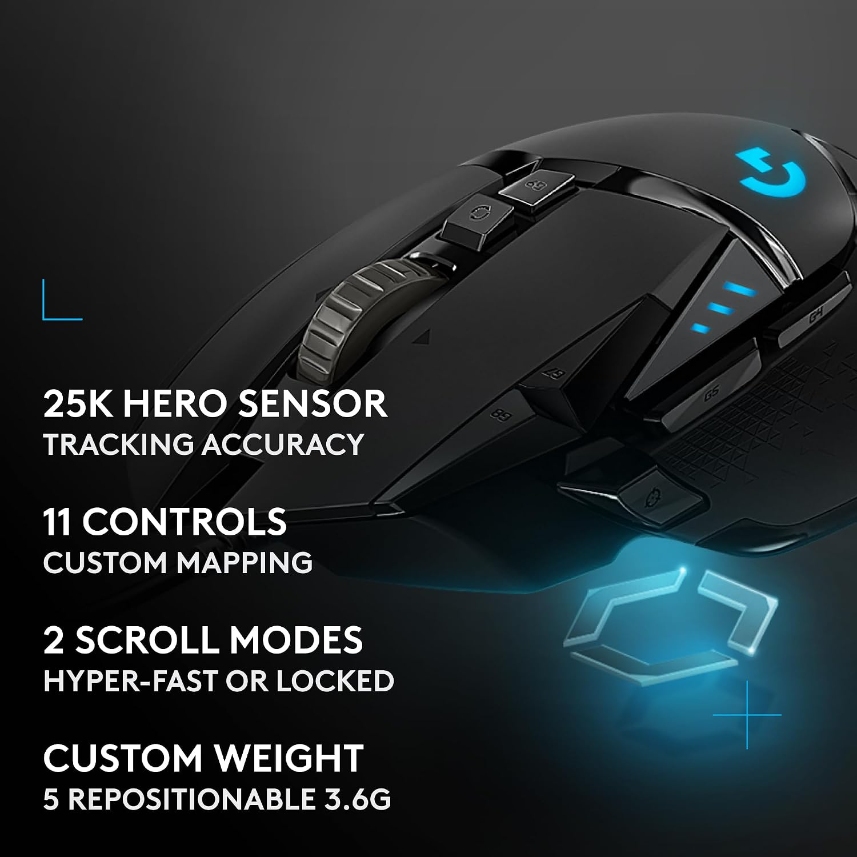
The G502 Hero gives you eleven programmable buttons, adjustable weights in the base, and a 189-240mm fit range that makes it the only mouse here genuinely built for a large palm grip. Regularly discounted well under $50, which is how a mouse with a $79 list price ends up in a budget guide.
Buy it with your eyes open. It is 121g before you add any of the five weights. Owners hit the DPI-shift button by accident because of where it sits. And the double-click failure is real, well evidenced, and clusters inside the warranty period - which is the useful part. See the warranty section.
Buy it if: your hand is large, you want buttons, and you like a heavy mouse. Many people do.
Skip it if: you want light, or you will not chase a warranty claim.
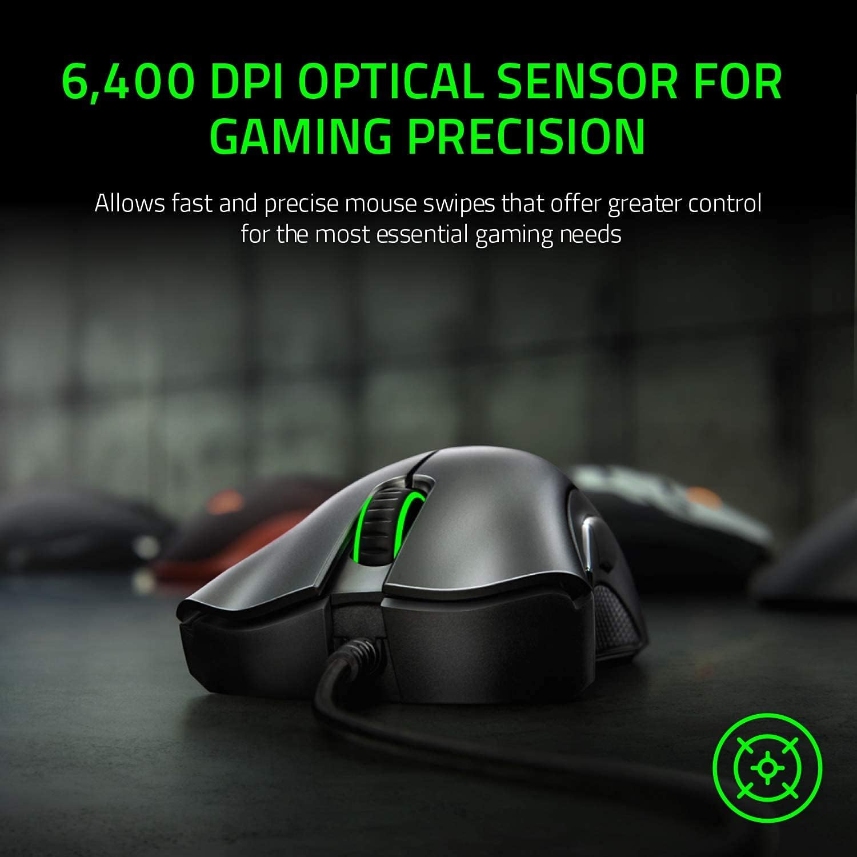
The DeathAdder Essential is the shape half the industry copied, at the cheapest it has ever been. That is the entire case for it, and at $20 it is a decent one.
Understand what was cut. 6,400 DPI rather than 20,000 or more. A plain rubber cable rather than braided. And mechanical switches rated at 10 million clicks, whereas the Cobra's optical switches are rated at 90 million. Owners on Razer's own forum also describe a scroll-wheel fault that starts after a few months and has no proper fix.
Buy it if: you want a cheap spare, a second desk, or a first mouse for someone who is not sure they will stick with it.
Skip it if: you click a lot. Fifteen dollars more buys the Cobra and nine times the rated switch life.
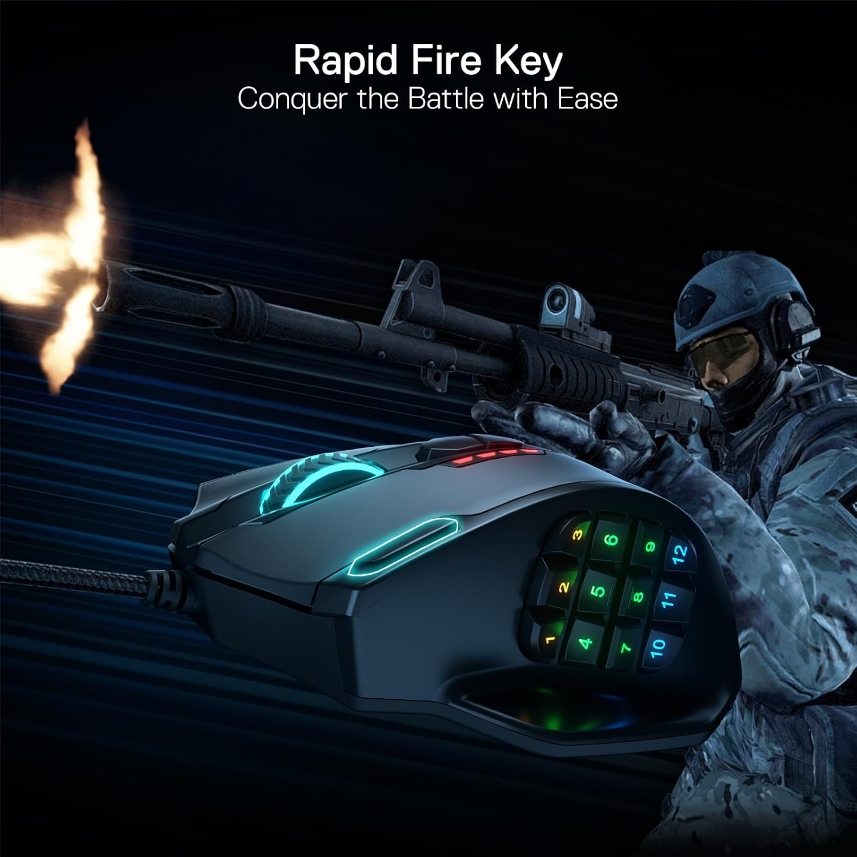
The M908 Impact is the only twelve-button MMO mouse down here, and it is better than it has any right to be. Owner sentiment is genuinely strong, and the switching-away stories run in its favour - people arriving from a Naga or a G600 and reporting the Redragon outlasted both, with several four- and five-year ownership reports.
Three hard qualifiers. It is 177g with the weights fitted and around 130g without, which is a brick by modern standards and a hard no if you also play shooters. The twelve side buttons draw a recurring minority complaint about telling them apart by touch, contradicted by at least one careful reviewer, which reads as hand-size dependent - if your thumb is short, try before you commit. And the software is poor, though five onboard profiles mean you configure once and uninstall.
Buy the original, not the SE. Redragon's successor is heavier on price, and its switches are rated at 10 million clicks against the original's 20 million. Also note that if you buy on Amazon, Redragon's own policy puts after-sales service on the seller, not on Redragon.
Worth knowing: the Razer Naga V2 HyperSpeed lists near $99 but drops to $42-70 often enough that the gap sometimes almost closes. If you are buying an MMO mouse and are not in a hurry, set an alert.

If your hand is under about 215mm and weight is what you care about, the Mchose G3 V2 Pro and the Attack Shark X3 give you more hardware per dollar than Logitech will, and you should take that deal knowing exactly what you are giving up. If your hand is over 230mm, the G305 was never going to work - take the G502 Hero or the Model O Eternal. If you need twelve buttons, the M908 is the only answer down here and a decent one.
Everyone else: measure your hand, find your row, buy the cheapest thing in it.








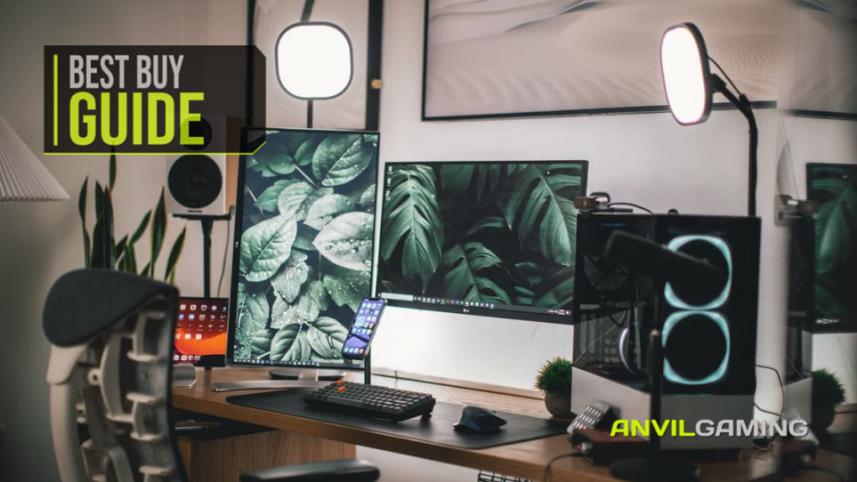
The camera is the part that looks like the purchase, and it is the part that matters least. We built a complete streaming desk around what a viewer actually reacts to - audio first, light second - for under £300, and named the single upgrade worth the rest of your budget.
Read More
Keeping a gaming PC in good condition doesn't have to be complicated. We look at five useful products for cleaning dust, protecting against power surges, handling outages and backing up important data, alongside simple maintenance tips that can help keep your hardware, peripherals and files safer for longer.
Read More
You don't need to spend a fortune to build a better gaming or PC desk. We look at seven affordable accessories, including a Logitech mouse pad, Creative speakers, a webcam, dual monitor stand, gaming headset and external DVD drive, to see which upgrades are genuinely worth adding to your setup without wasting money on unnecessary extras.
Read More
The NZXT Function Elite MiniTKL is our best complete buy, but not the automatic choice. Nine rapid-trigger keyboards are ranked for competitive value, compact play, wireless use and everyday typing—with every important compromise made clear before you buy.
Read More