
GAMING
Loading





Buy the NZXT Function Elite MiniTKL if you want one rapid-trigger keyboard to cover competitive games, ordinary typing, and a UK desk without feeling like the rest of the board was sacrificed for one headline feature.
It is our best complete buy because it combines a useful MiniTKL layout with an aluminium case, gasket mounting, proper sound dampening, onboard profiles and a UK ISO version. Its magnetic adjustment is less extreme than several cheaper rivals, but that is a sensible trade when every board here is already fast enough on paper.
It is not the automatic answer. The MonsGeek FUN60 Pro HE puts competitive features into a much cheaper 60% board. The Epomaker HE68 Lite keeps dedicated arrow keys. The YUNZII RT75 PRO is the only choice here that makes a convincing case for wireless play.
This is a researched buying guide, not a hands-on group test. We checked the exact Amazon UK listings, official specifications and available independent measurements. Price bands, stock and sellers reflect our latest check and can change. Manufacturer latency figures are treated as claims, not measurements of our own.

Rapid trigger changes the reset point as you lift a key. That can make repeated directional inputs feel more immediate because the switch does not have to return past one fixed reset position. Adjustable actuation lets you decide how far each key travels before it registers.
Those features are now common. All nine keyboards offer rapid trigger, and almost all advertise an 8,000Hz polling mode. That makes the surrounding keyboard more important, not less.
The first decision is physical. A 60% board gives your mouse the most room, but moves arrows and navigation keys onto shortcuts. A 65% or 68-key board restores the arrows. A 75% board keeps the function row as well. MiniTKL is wider than all three, but is the easiest transition from a conventional keyboard.
The second decision is connection. Wired is still the simple answer for a fixed gaming desk. The YUNZII is the exception for anyone who moves between devices or wants a cleaner setup: its 2.4GHz mode retains the advertised 8K polling, while Bluetooth is limited to 125Hz and is better treated as a convenience mode.
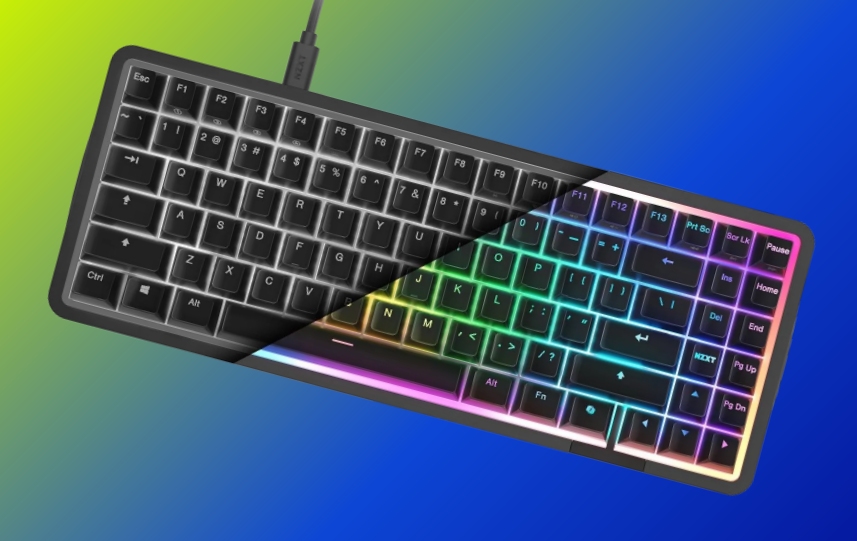
The NZXT wins by being the least compromised keyboard rather than the most aggressive specification sheet. Its MiniTKL layout keeps dedicated arrows, navigation keys, and a function row. The UK listing solves a problem most rivals leave to product photographs, while four onboard profiles reduce how often CAM needs to remain part of the experience.
The hardware also explains the recommendation. A CNC-machined aluminium case, gasket mounting, screw-in stabilisers, double-shot PBT keycaps and multiple layers of dampening are the ingredients we would rather pay for once the magnetic feature set is covered. NZXT quotes 8K polling, rapid trigger, per-key dual actions and Snap Overrides.
The compromise is its adjustment range. Actuation runs from 0.6mm to 4.0mm across 40 settings, so it cannot chase the 0.1mm starting points and hundredth-millimetre increments advertised elsewhere. We do not think that costs it the guide. An extremely shallow setting is easy to trigger by accident, and the useful setting is the one you can control consistently.
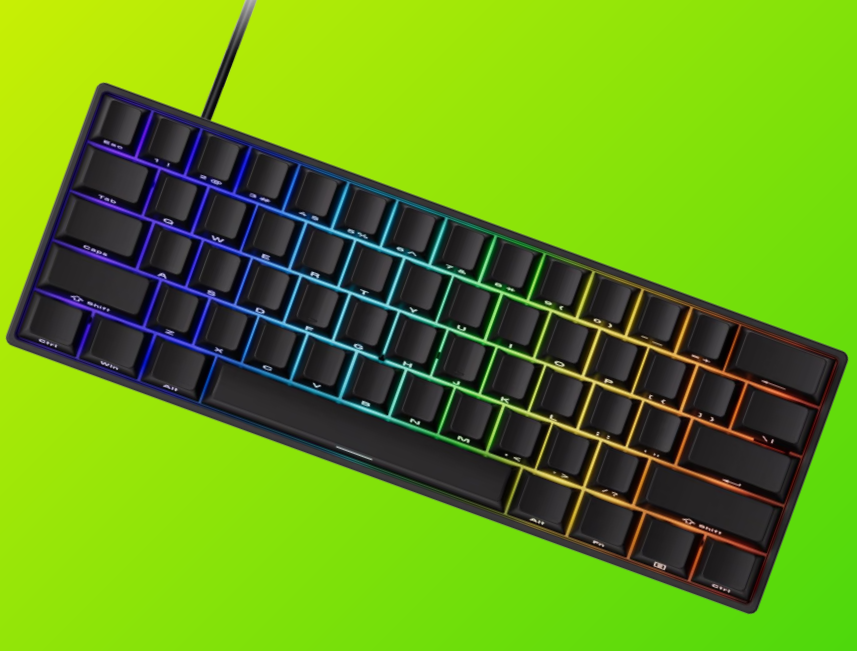
The MonsGeek is the sharper buy for a competitive player who already knows that 60% is enough. The exact Amazon SKU in this guide is the wired SP model—not the tri-mode version shown on some broader product pages. It combines 8K polling, rapid trigger, Snap Key, Dynamic Keystrokes, Mod-Tap and Toggle functions with onboard memory and a browser driver.
It also has the most interesting switch story at the cheaper end. MonsGeek reports compatibility with five third-party magnetic switches, although magnetic polarity still matters and ordinary mechanical switches will not work. That gives the board more room to change than a model calibrated around one switch family.
The cost saving appears in the chassis and layout. This is an ABS tray-mounted 60% keyboard, so there are no dedicated arrows or function row. The Amazon listing also needs careful checking because the exact wired listing should not inherit wireless claims from other FUN60 variants.

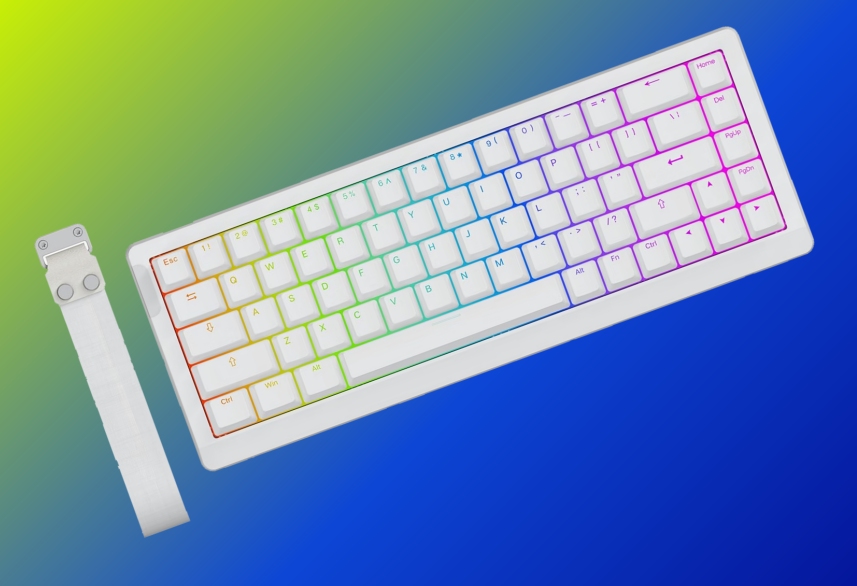
The HE68 Lite occupies the useful middle ground between a 60% competition board and a larger daily driver. Its 68-key layout keeps the arrow cluster, while the compact case leaves substantially more mouse room than a TKL.
It is not stripped down inside. Epomaker specifies a plastic case, tray mounting, a polycarbonate plate, and five layers of dampening, with double-shot PBT keycaps. The magnetic controls include 0.1- 3.4 mm actuation, rapid trigger in 0.01mm steps, SOCD, Dynamic Keystrokes, Mod-Tap, Toggle, and an adjustable dead zone through the browser-based Hub.
The US ANSI layout is the main caveat for a UK buyer. The other is that finer software increments do not automatically make a better board. They give you more settings to choose from; they do not prove lower end-to-end latency or better key feel.
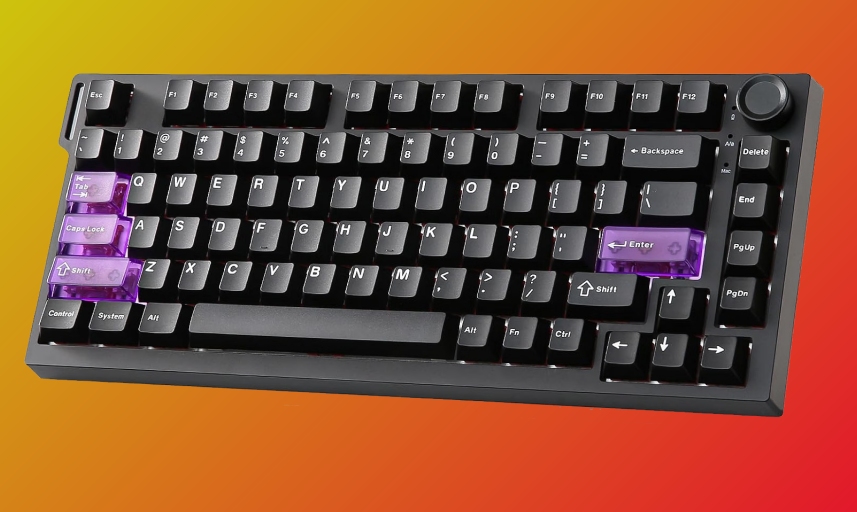
The RT75 PRO is the only keyboard here designed to make rapid trigger genuinely portable. It supports USB, 2.4GHz, and Bluetooth, carries an 8,000mAh battery, and advertises 8K polling in both USB and 2.4GHz modes. Independent testing by HLPlanet measured 0.65ms wired and 1.01ms over 2.4GHz, which is more useful than repeating a manufacturer's theoretical response-time claim.
Its 81-key layout, function row, and knob make it comfortable outside games, and its top-mounted structure includes five dampening layers. At 1,129g, however, this is transportable rather than light. Bluetooth falls to 125Hz, so use the dongle when responsiveness matters.
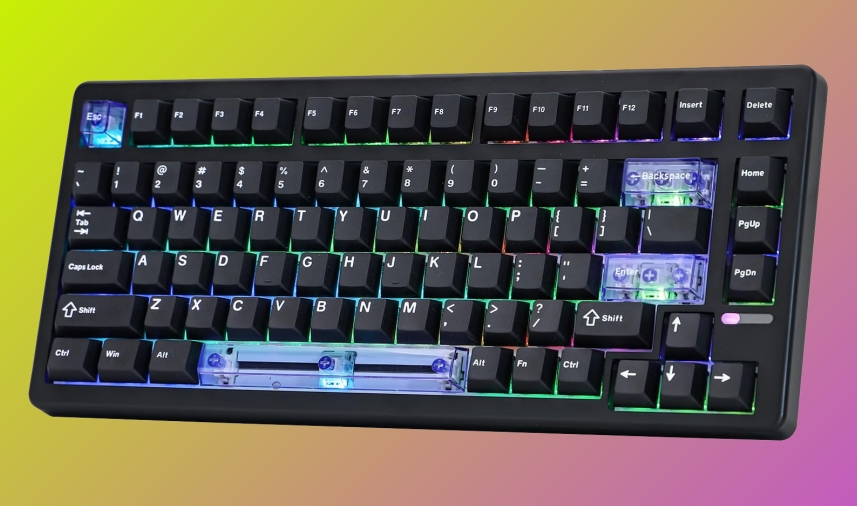
The HE80 is the conventional 75% choice: 82 keys, a full function row, and a wired connection in a gasket-mounted plastic case. Its FR4 plate and four dampening layers should appeal to buyers who care as much about the structure beneath the switches as the rapid-trigger menu.
Epomaker advertises 8K polling, a 32K global scan rate, 128K per-key scanning, SOCD, and Dynamic Keystrokes. Treat the quoted 0.125ms figure as a manufacturer claim. An 8K report interval is 0.125ms in theory, but that is not the same thing as measuring the complete delay from finger movement to an action on screen.

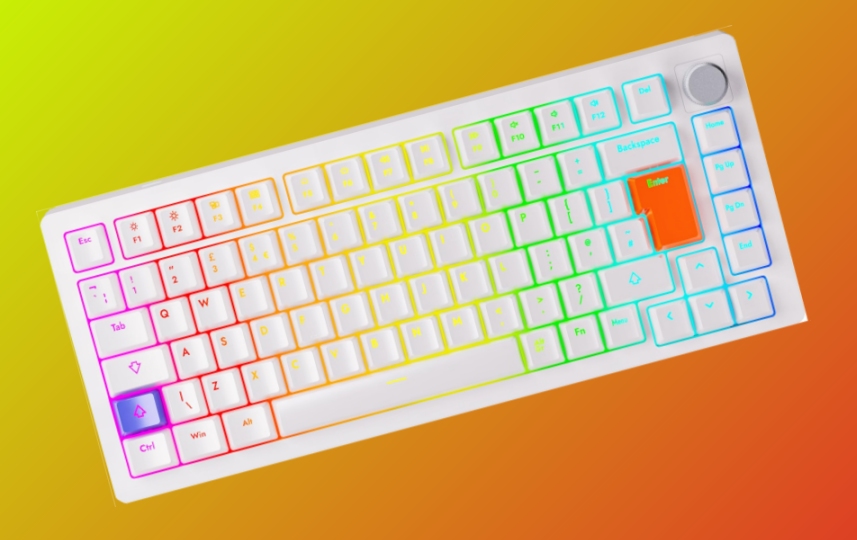
The DrunkDeer A75 remains an easy board to understand: an 82-key wired 75% layout with a knob, browser configuration, and an ISO-UK version on its own Amazon listing. Its published actuation range is 0.2-3.8mm in 0.1mm steps, and RTINGS found excellent latency in independent testing.
It is an older, lighter construction than the NZXT, using a plastic case, metal plate, and foam. Owner reports also include firmware, PCB and support complaints. Those reports do not establish a failure rate, but they are enough to stop us treating longevity as settled.
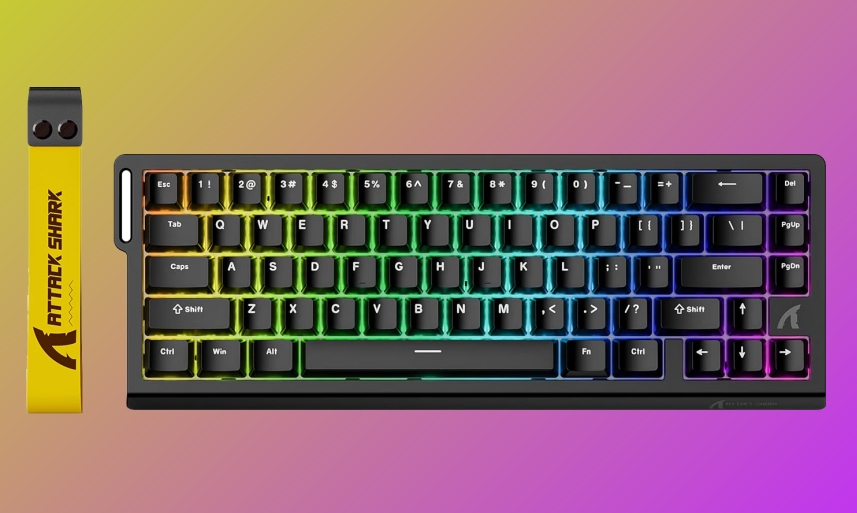
The X68 HE puts 66 keys, arrows, an aluminium plate, Poron foam and double-shot PBT keycaps into the lowest price band. Its software exposes rapid trigger, Snap Tap, Dynamic Keystrokes, Mod-Tap and Toggle functions, with 8K polling and a 128K scan rate claimed by the manufacturer.
Magnetic switch swaps require N-pole-down switches, which is the kind of compatibility detail worth checking before buying replacements. The product pages also provide less confidence about long-term software support than NZXT, Epomaker or MonsGeek.
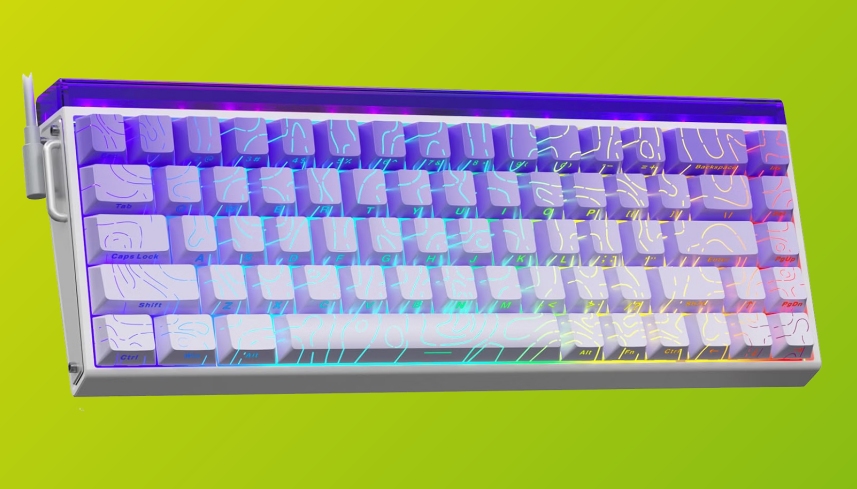
The HERO 68 pairs a compact 68-key wired layout with side-printed PBT keycaps, magnetic switches, 8K polling and a Chrome-based driver. It is visually distinct without charging GravaStar money.
The difficulty is value. It sits in the same broad band as more complete 75% and MiniTKL boards, while the available official information is thinner. Unless the side-printed design is specifically what you want, the HE68 Lite offers a clearer compact recommendation and the NZXT offers a better-rounded one.
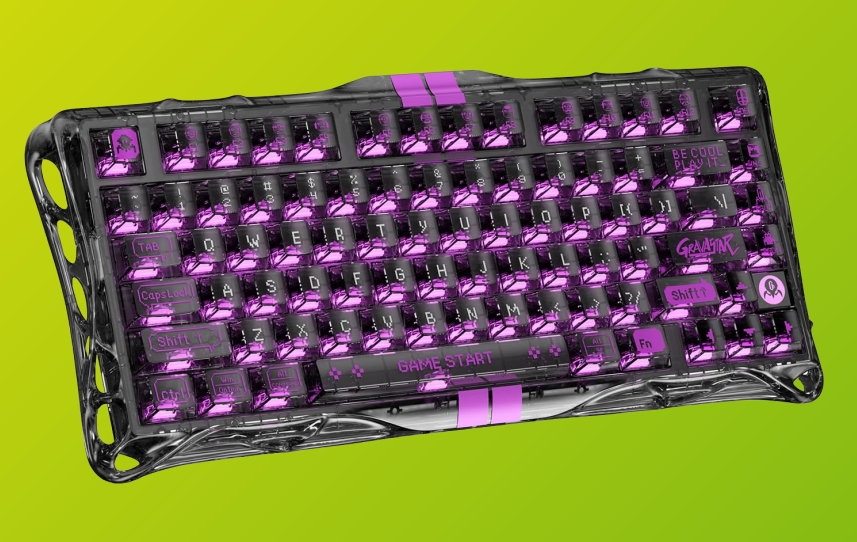
The V75 Lite is the visual outlier: a transparent 75% shell, gasket mount, five layers of dampening and UV-coated PBT keycaps. Its browser Control HUB handles rapid trigger and LKP/Snap Click, while selected TTC and Gateron magnetic switches are supported.
GravaStar's own material conflicts on the maximum actuation point, quoting 3.5mm in one place and 4.0mm in another. That does not change the recommendation because the reason to buy this board is the case. Near the top of the budget, the transparent construction has to be worth more to you than the NZXT's UK layout and aluminium chassis.
SOCD, Snap Key, Snap Tap and similar modes resolve two opposing keys in software. That can be useful for directional changes, but the name differs by brand and the rules differ by game. Valve has said that input automation such as Snap Tap must be disabled on official Counter-Strike servers, where it can trigger a kick. A feature existing in the driver does not make it acceptable everywhere.

For most UK buyers, the answer is the NZXT Function Elite MiniTKL. It spends the budget on the keyboard around the switches: useful keys, a UK option, aluminium construction, gasket mounting, dampening and onboard profiles.
Choose the MonsGeek FUN60 Pro HE when competitive value and mouse room come first. Choose the Epomaker HE68 Lite when you want that compact footprint with arrows. Choose the YUNZII RT75 PRO when the desk genuinely benefits from wireless.
The useful question is no longer whether an affordable keyboard can do rapid trigger. All nine can. It is which keyboard you still want when the novelty of adjusting the switches has worn off.









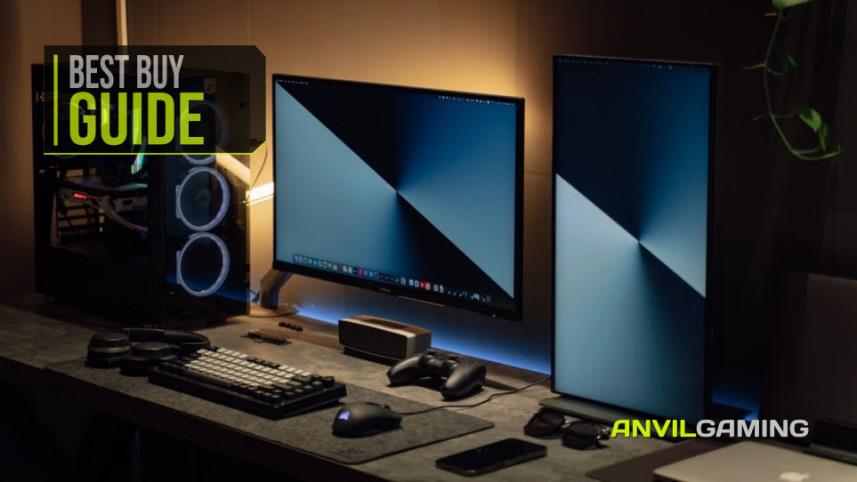
You don't need to spend a fortune to build a better gaming or PC desk. We look at seven affordable accessories, including a Logitech mouse pad, Creative speakers, a webcam, dual monitor stand, gaming headset and external DVD drive, to see which upgrades are genuinely worth adding to your setup without wasting money on unnecessary extras.
Read More
Keeping a gaming PC in good condition doesn't have to be complicated. We look at five useful products for cleaning dust, protecting against power surges, handling outages and backing up important data, alongside simple maintenance tips that can help keep your hardware, peripherals and files safer for longer.
Read More
Cheap gaming mice have solved the sensor problem. The Logitech G305 remains the best buy under $50 because it fits more hands and comes with credible support. This guide compares ten models by fit, real owner-reported failures, and what happens when the warranty matters.
Read More
The camera is the part that looks like the purchase, and it is the part that matters least. We built a complete streaming desk around what a viewer actually reacts to - audio first, light second - for under £300, and named the single upgrade worth the rest of your budget.
Read More