
GAMING
Loading





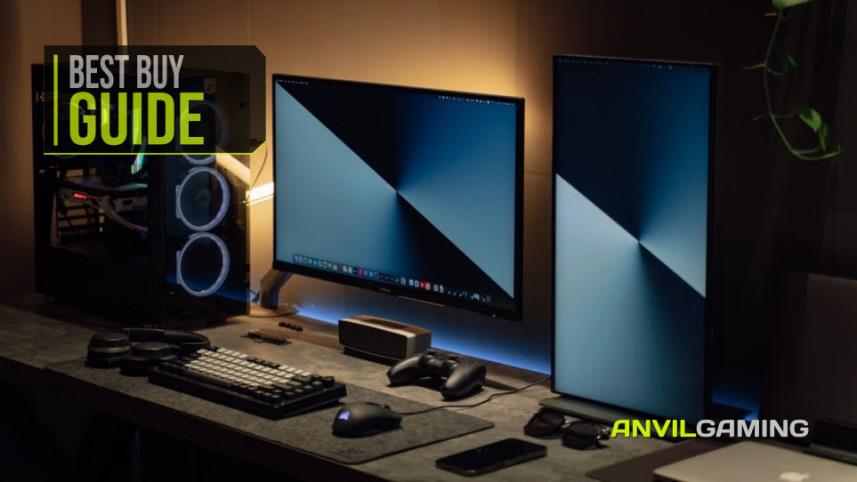
There is a strange habit in the PC gaming world of making a desk setup look as though it requires the GDP of a small country. RGB lighting everywhere, enormous monitor arms, microphones suspended from things that appear to have been designed for a radio studio and enough cable management to suggest the owner is preparing for a career in air traffic control.
The reality is that you can make a perfectly good gaming or PC desk considerably nicer without spending hundreds of pounds. Sometimes the best upgrades are the boring ones: somewhere for your mouse to move, decent speakers, a comfortable headset, a webcam that doesn't make you look as though you've been filmed through a potato and, if you have two monitors, a way of getting those enormous stands off the desk.
We've picked six relatively inexpensive accessories that can do exactly that. None of them are going to turn a £500 desk into a £5,000 streaming studio, and that is rather the point. These are the sorts of purchases that make sense when you want to improve an existing setup without turning the process into a second mortgage.
RECOMMENDED FOR: Anyone looking to improve a gaming or PC desk setup without spending silly money on accessories that mainly exist to look impressive in photographs.

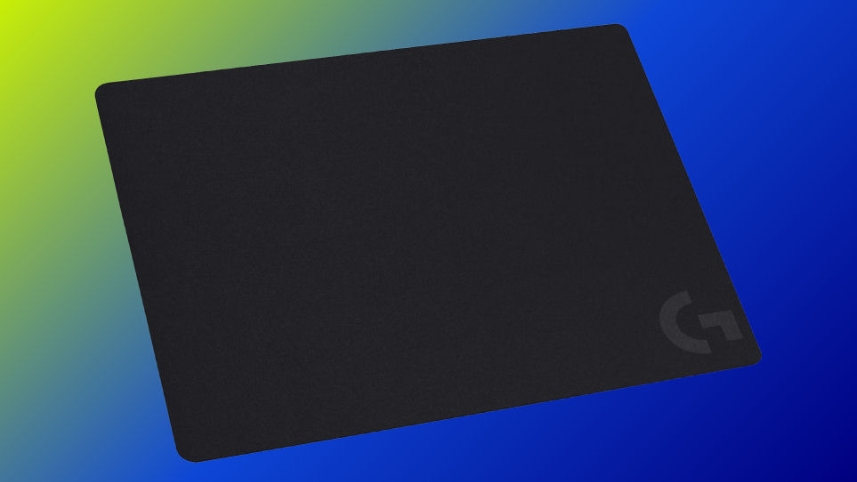
Let's start with the least exciting product here. It is a mouse pad.
And yet, if you're currently using the tiny promotional mat that came free with something you bought in 2017, upgrading it can make a surprisingly noticeable difference.
The Logitech G G240 is a fairly straightforward cloth gaming mouse pad measuring 340 x 280 x 1 mm. It uses a surface designed around moderate friction, with Logitech aiming for a consistent texture that works particularly well with gaming sensors. There is also a rubber base to stop the whole thing migrating across your desk every time you attempt a particularly enthusiastic flick.
What I like about the G240 is precisely how unremarkable it is. It isn't trying to be a desk mat, a charging station, an RGB light show or a statement piece. It is simply somewhere for your mouse to go, and it does that job properly.
At around £6-£9 in the UK and roughly $10 in the US depending on the current listing, it is also the sort of upgrade that doesn't require a lengthy meeting with your bank manager.
The only real question is whether you actually want something this size. If you prefer a giant desk mat that covers half the table, the G240 will look positively petite. For a conventional mouse-and-keyboard setup, though, it is perfectly sensible.
And honestly, sometimes sensible is exactly what you want. Your mouse doesn't need a £40 mattress. It just needs to move.
Check the Logitech G G240 at Amazon
PROS:
CONS
If you're building a budget gaming or PC setup from scratch, there is one fairly obvious problem with buying a new mouse mat first: you still need something to actually put on it.
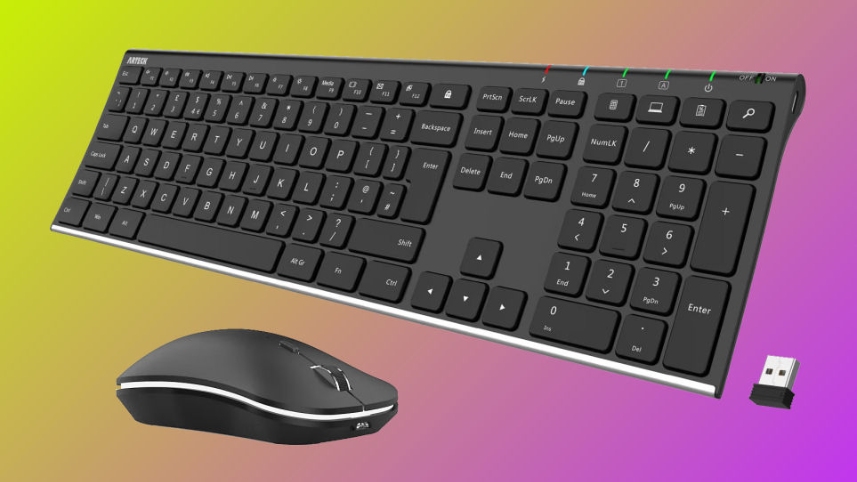
The ARTECK wireless keyboard and mouse combo is aimed at exactly that sort of situation. Rather than buying a keyboard, mouse and wireless receivers separately, you get both devices working from a single 2.4GHz USB receiver.
The keyboard is a full-size model with low-profile keys, arrow keys and a number pad, while the accompanying mouse is designed with an ergonomic shape and includes adjustable DPI settings and additional side controls. Both devices use rechargeable batteries, so you're not constantly feeding them disposable AAs like it is 2004.
That single USB receiver is one of the more useful parts of the package. Plug it into your PC and both the keyboard and mouse are ready to go, leaving your other USB ports available for all the other things you've inevitably accumulated.
The keyboard also has a stainless steel construction that gives it a rather more substantial feel than some of the cheaper plastic wireless keyboards. It isn't trying to be a mechanical gaming keyboard, and that is worth remembering. The keys are low-profile and relatively quiet, making this more of an everyday desktop keyboard than something designed specifically around competitive gaming.

That actually makes it a useful choice for a mixed gaming and general-purpose setup. If your PC is used for gaming, browsing, work, shopping, Discord and occasionally wondering why you have opened another six browser tabs, there's little reason to insist on a keyboard covered in gaming-specific features.
Battery life is also respectable, with the keyboard rated for up to six months and the mouse up to four months based on the manufacturer's stated usage conditions. Obviously, real-world battery life will depend on how much you're actually using them, but the important point is that you aren't dealing with something that needs charging every other evening.
Prices vary depending on the current Amazon listing, but the combo generally sits in the affordable range. At roughly £30–£40 in the UK, it becomes particularly interesting if you need both a keyboard and mouse rather than simply replacing one component.
Check the ARTECK Wireless Keyboard and Mouse at Amazon
PROS:
CONS

There was a time when every PC had a CD/DVD drive. Then, almost overnight, manufacturers decided that optical media had become something only archaeologists and people with suspiciously large collections of Windows installation discs cared about.
The problem is that discs didn't completely disappear. A lot of us still have old software, music CDs, DVDs, archived files or games sitting in a drawer somewhere. And the moment you actually need one, you discover that your expensive modern PC has absolutely no idea what you're talking about.
That's where a cheap external drive such as the TEMZICK comes in. Rather than installing an internal optical drive in a modern PC case, you simply plug the external unit into USB when you need it.
At roughly £20 in the UK, it isn't an exciting purchase, but it is a potentially very useful one. This is particularly true if you're the sort of person who occasionally discovers that an old piece of software, driver disc or collection of photographs exists only on something shiny and round.
It also makes sense as an occasional-use accessory. You don't need to leave it permanently connected. Put it in a drawer, forget about it for six months and then feel disproportionately pleased with yourself when you suddenly need to read an old disc.

The catch is the same one you'll find with many inexpensive optical drives: this is a functional budget accessory rather than something you should expect to survive a war. If you need to read and write discs every single day, spending more on a better-known model may make sense. For occasional use, however, a compact USB drive is a lot easier to justify.
In other words, this isn't necessarily something you buy because you desperately want an external DVD drive. You buy it because one day you will desperately need an external DVD drive.
Check the TEMZICK External DVD/CD Drive at Amazon
PROS:
CONS
Your monitor speakers are technically speakers.
So is the alarm on my phone.
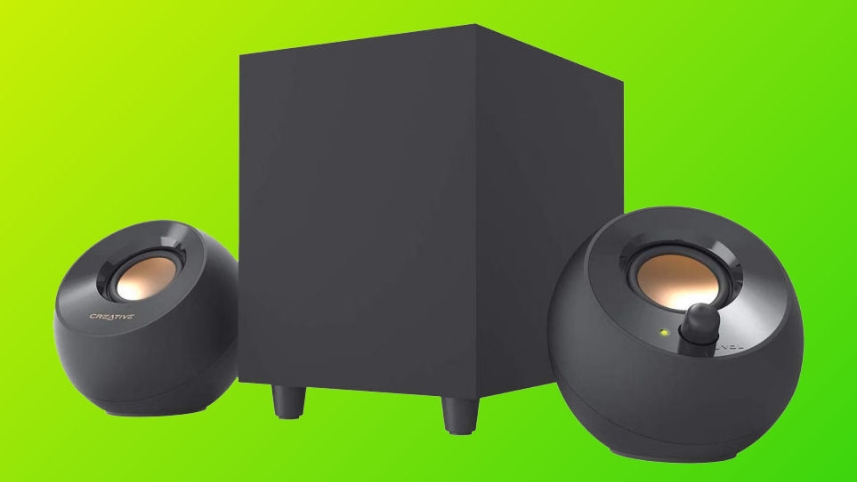
There comes a point where you might reasonably want something better, and the Creative Pebble Plus is interesting because it manages to provide a proper 2.1 setup without requiring you to dedicate half the desk to an audio system.
The system consists of two compact desktop speakers and a separate down-firing subwoofer. The satellites use 2-inch full-range drivers and are angled upwards towards you, while the subwoofer is responsible for adding some much-needed low-end to the proceedings.
Creative rates the system at up to 8W RMS in High Gain mode, with the satellites providing 2W RMS each and the subwoofer another 4W RMS. That isn't going to shake the windows of the neighbours three streets away, but that isn't what we're asking it to do.
We're asking it to sound substantially more interesting than the speakers built into a monitor.
The Pebble Plus uses USB for power and a 3.5mm AUX connection for audio. One thing worth knowing before ordering is that the 5V 2A power adapter required for High Gain mode is not included, so don't assume everything you need is necessarily sitting in the box.
Prices tend to sit around the mid-£30 range in the UK, with US pricing generally around the $35 region depending on the current listing.
For a compact gaming desk, though, this is one of the more compelling upgrades on the list. You get proper stereo speakers, a dedicated subwoofer and enough output for normal desktop listening without filling the room with a collection of equipment that looks as though it belongs underneath a nightclub.
Check the Creative Pebble Plus at Amazon
PROS:
CONS
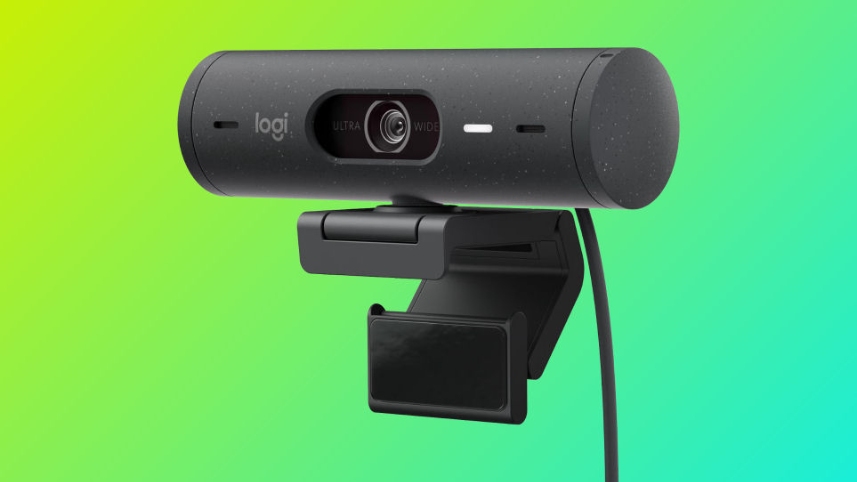
If you spend any amount of time on Discord, Zoom, Teams, streaming platforms or video calls, there is a fairly good chance your webcam is either considerably worse than the rest of your setup or currently balanced precariously on top of your monitor.
The Logitech Brio 500 is a sensible middle ground. It isn't a 4K production camera and Logitech isn't pretending that it is. Instead, it offers Full HD 1080p video at up to 30fps, autofocus, automatic light correction, HDR and a built-in privacy shutter.
That last one deserves more attention than it usually gets. Being able to physically close the camera when you're not using it is considerably nicer than wondering whether you've remembered to disable it in software.
The Brio 500 also has stereo microphones with noise reduction and connects over USB-C. Its 90-degree field of view gives you a little more room in the frame, while Logitech's RightLight technology is designed to improve how you look in less-than-perfect lighting.
It also has some useful software tricks, including automatic framing and Show Mode. These aren't features everyone will care about, but they are useful if the webcam is going to pull double duty between gaming, work and general video calls.
The important limitation is that this is still a 1080p webcam. If you're building a serious streaming setup where image quality is one of the main attractions, there are considerably more capable cameras available. For the average PC user, however, spending more for 4K may be solving a problem that doesn't really exist.
At around £65 in the UK and roughly $80 in the US depending on the current listing, it isn't the cheapest webcam around. But it is also considerably more useful than the bargain-bin models that turn your face into a collection of blurry pixels every time the lighting changes.
Check the Logitech Brio 500 at Amazon
PROS:
CONS
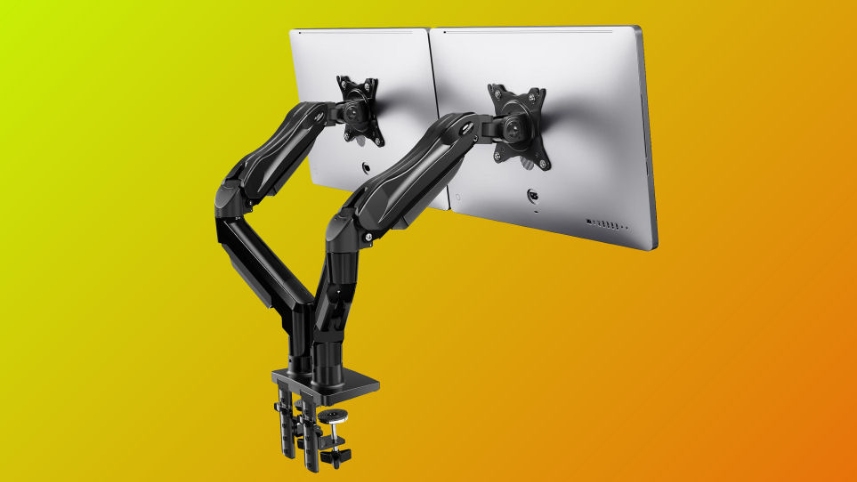
There is something deeply satisfying about replacing two enormous monitor stands with a single arm that attaches to the back of the desk.
Suddenly you have desk space again. Actual desk space. The sort of thing you vaguely remember having before buying two monitors.
The HUANUO dual monitor stand is designed for two screens between 13 and 27 inches, using the common VESA 75 x 75 mm and 100 x 100 mm mounting standards. The arms are articulating and offer tilt, swivel and rotation adjustments, making it considerably easier to get two monitors sitting exactly where you want them.
It can be mounted using a desk clamp or the alternative mounting arrangement supplied with the stand, giving you a little more flexibility depending on your desk.
The obvious attraction is the price. At around £20 in the current UK listing, it is remarkably inexpensive for something that can fundamentally change how much usable space you have on your desk.

There are, however, a few things you should check before ordering. Your monitors need to be VESA compatible, and you need to make sure their size and weight are within the limits of this particular model. Don't buy a monitor arm first and then discover that your screens collectively weigh approximately the same as a small hatchback.
The stand is particularly appealing for people who use one monitor for gaming and another for Discord, browsing, work or streaming. You can position them side by side, angle them towards you or rotate one into portrait orientation if that suits your workflow.
For roughly the price of a couple of takeaway pizzas, reclaiming a sizeable chunk of your desk is difficult to argue with.
Check the HUANUO Dual Monitor Stand at Amazon
PROS:
CONS

The Logitech G G335 takes a slightly different approach to the modern gaming headset. It doesn't have a wireless receiver, a battery to charge, a collection of software features or enough RGB lighting to guide aircraft onto the runway.
It has a cable.
And honestly, that's sometimes rather nice.
The G335 is a lightweight wired gaming headset weighing around 240g. It uses a suspension-style headband, memory foam ear cushions covered in breathable sports mesh and 40mm neodymium drivers. Connectivity is via a standard 3.5mm connection, making it compatible with PCs, laptops and a range of consoles and other devices with the appropriate socket.
The microphone flips upwards when you want to mute it, while an integrated volume control means you don't need to reach for Windows every time the game suddenly becomes considerably louder than expected.
The biggest advantage of the G335 is its simplicity. There is no battery percentage to monitor. No charging cable to find. No wireless connection to troubleshoot five minutes before joining your friends. Plug it in and use it.
It also makes sense if you regularly move between devices. A 3.5mm headset is considerably less fussy than a wireless model when you want to switch from PC to console or another compatible device.
Of course, the lack of wireless connectivity is also the main drawback. If you absolutely require a cable-free desk, this isn't going to change your mind. The sound is also perfectly respectable rather than audiophile-grade, so anyone looking for a serious music listening headset should probably be looking elsewhere.
For gaming, voice chat and general PC use, however, it makes a lot of sense. At around £30-£50 in the UK and roughly $70 in the US depending on the current listing and colour, it sits in a useful part of the market where you're paying for comfort and usability rather than a long list of features you'll forget exist after two weeks.
Check the Logitech G G335 at Amazon
PROS:
CONS
The obvious answer is: whichever bit of your current setup is annoying you.
If you don't already have a decent keyboard and mouse, the ARTECK combo is probably the most obvious starting point. Getting both devices together, with one wireless receiver and rechargeable batteries, makes considerably more sense than buying individual components simply because they happen to have more RGB lighting.
If your mouse keeps sliding off a tiny mat, the Logitech G240 is an inexpensive fix. And if you're buying the ARTECK at the same time, the two actually make a rather sensible pairing for a new or refreshed desk setup.
If you've got two monitors consuming half your desk, the HUANUO stand is probably going to make a bigger difference than another set of RGB lights ever could. If your audio currently comes through a monitor that sounds like someone shouting from inside a cardboard box, the Creative Pebble Plus is an obvious upgrade.
The Brio 500 makes more sense if you're regularly on camera, while the G335 is a particularly straightforward option if you want a comfortable gaming headset without adding another battery to your increasingly demanding charging schedule.

And the TEMZICK external optical drive is the odd one out, but perhaps the most useful when you suddenly need it. Nobody wakes up thinking, "Today would be a lovely day to own a USB DVD drive." Until they find an old disc containing something they desperately need.
That's really the theme running through all seven products. None of them are particularly glamorous. None will magically transform your gaming ability. None will make your PC run faster.
But they can make using your PC a little nicer, and without demanding that you spend the sort of money normally associated with graphics cards.
And frankly, that is probably a better way to build a gaming desk anyway. Buy the thing that solves an actual problem, enjoy it, and then wait until the next problem appears.
There will always be another accessory.
There is always another accessory.
Your desk knows this.
Prices are correct at the time of writing and can change.









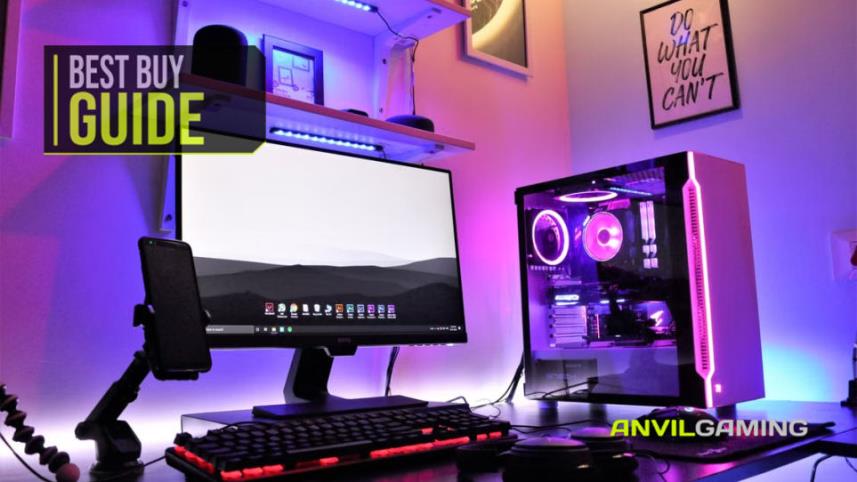
Keeping a gaming PC in good condition doesn't have to be complicated. We look at five useful products for cleaning dust, protecting against power surges, handling outages and backing up important data, alongside simple maintenance tips that can help keep your hardware, peripherals and files safer for longer.
Read More
The NZXT Function Elite MiniTKL is our best complete buy, but not the automatic choice. Nine rapid-trigger keyboards are ranked for competitive value, compact play, wireless use and everyday typing—with every important compromise made clear before you buy.
Read More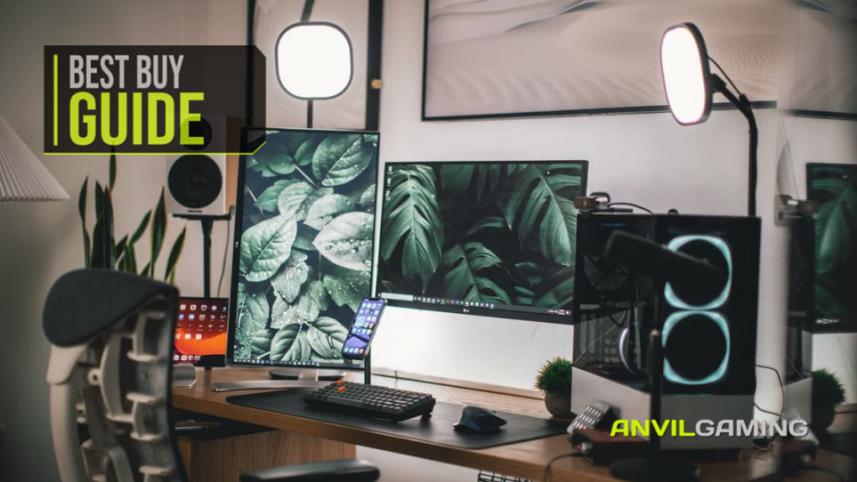
The camera is the part that looks like the purchase, and it is the part that matters least. We built a complete streaming desk around what a viewer actually reacts to - audio first, light second - for under £300, and named the single upgrade worth the rest of your budget.
Read More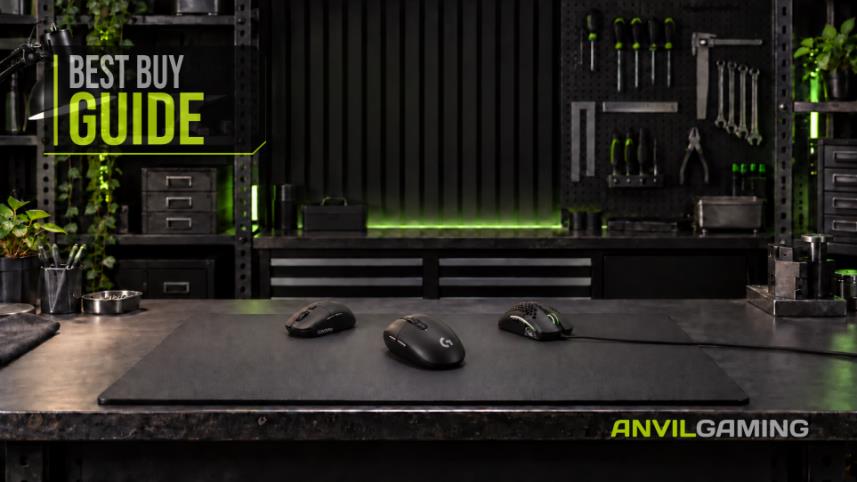
Cheap gaming mice have solved the sensor problem. The Logitech G305 remains the best buy under $50 because it fits more hands and comes with credible support. This guide compares ten models by fit, real owner-reported failures, and what happens when the warranty matters.
Read More